

Description
RS485Commander is a Windows desktop application for commissioning, monitoring, and troubleshooting industrial devices over Modbus RTU, ASCII, and TCP/IP networks. It connects to any Modbus slave via USB-to-RS485 adapter or Ethernet and provides a full toolkit spanning automatic bus scanning, register reads and writes with real-time dual-axis graphing, a continuous live monitoring dashboard with configurable alarm thresholds, and a scripted initialization.
RS485 Commander is a Windows desktop application for commissioning, testing and monitoring industrial devices over Modbus RTU, ASCII, and TCP/IP networks. It connects to any Modbus slave device via a USB-to-RS485 adapter or Ethernet connection, and provides a full suite of tools organized in six main tabs:
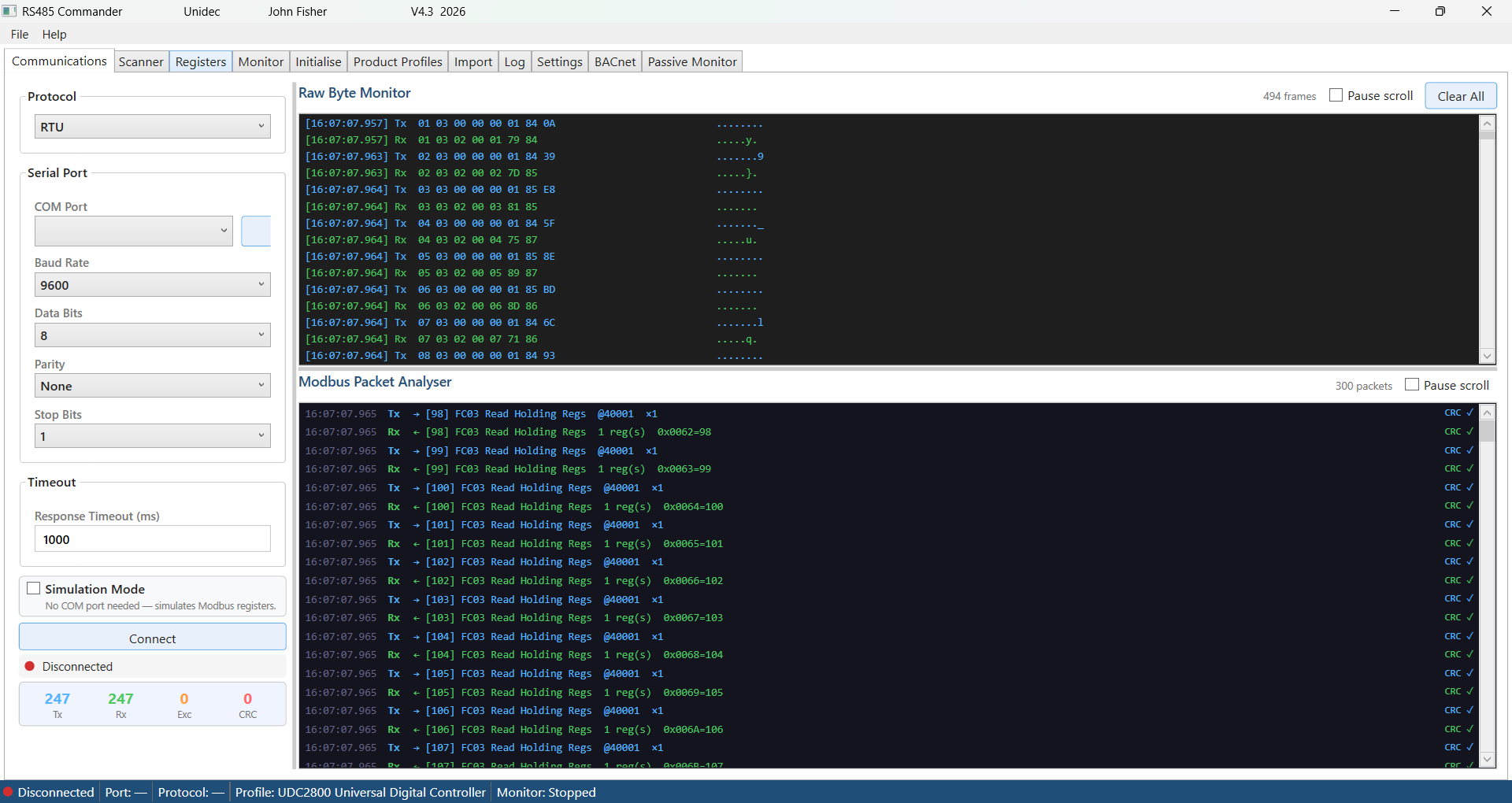
- Communications setup with a live packet analyzer
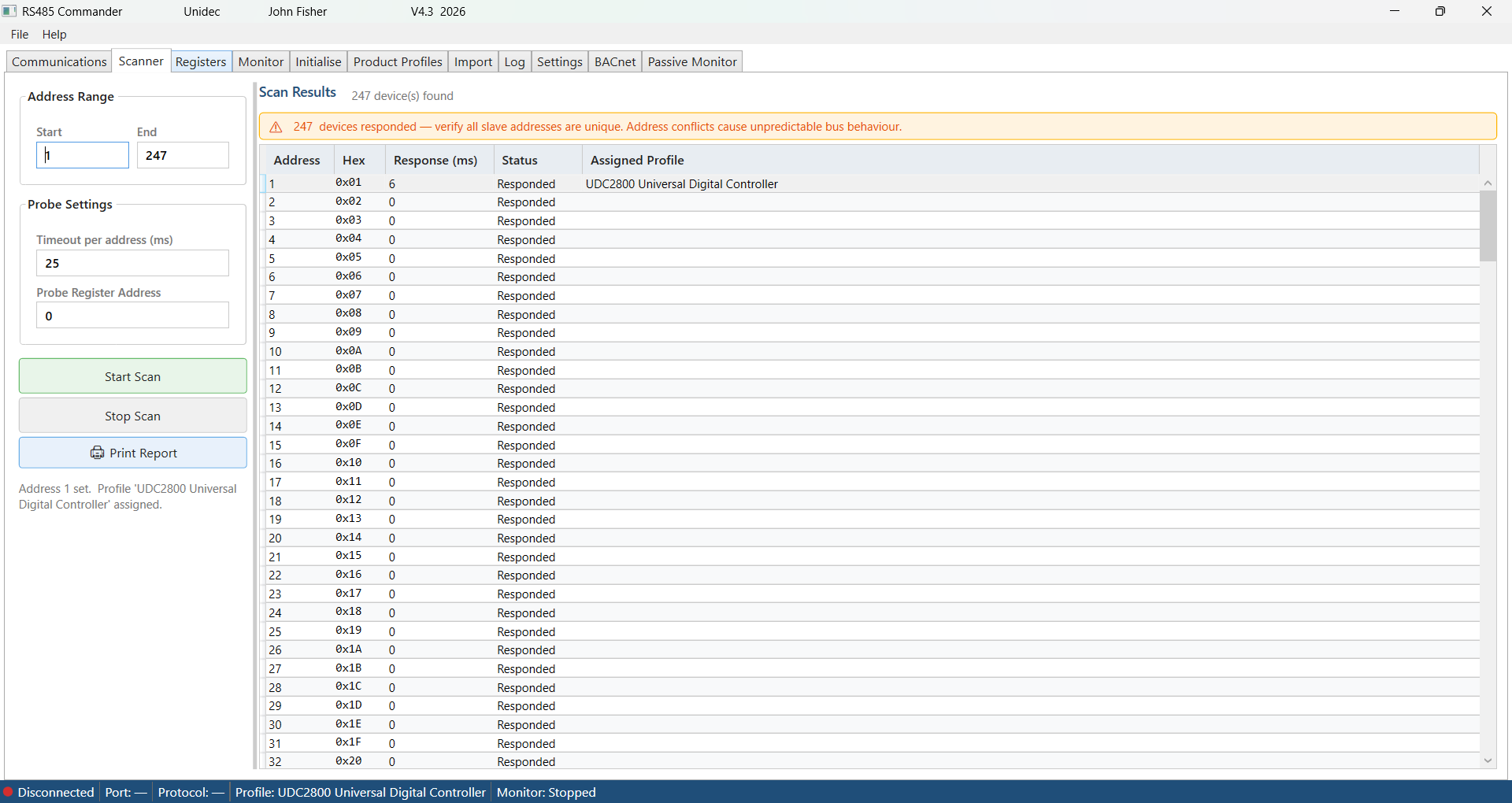
- Automatic bus scanner
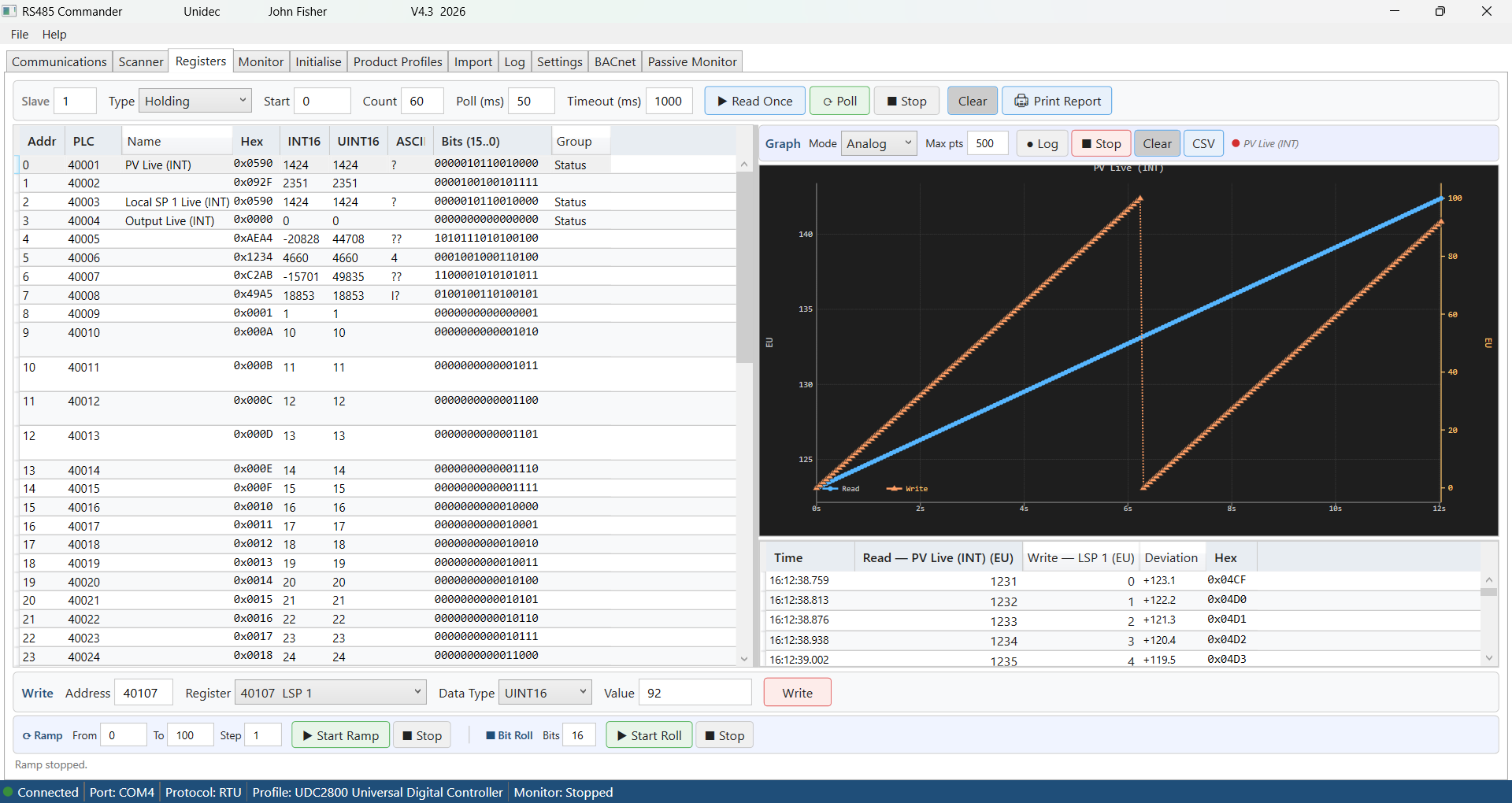
- Register read/write/log tool with real-time graphing
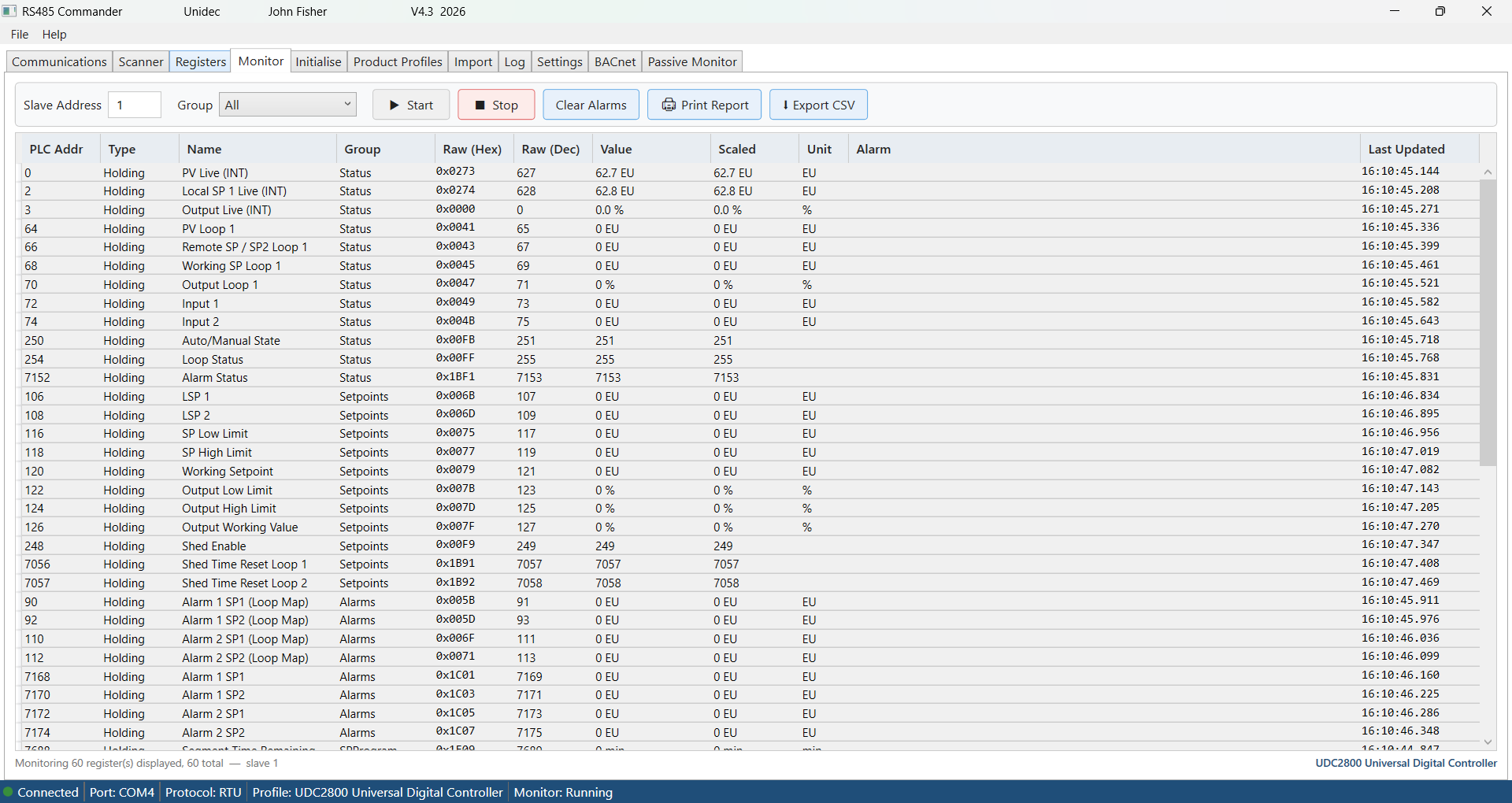
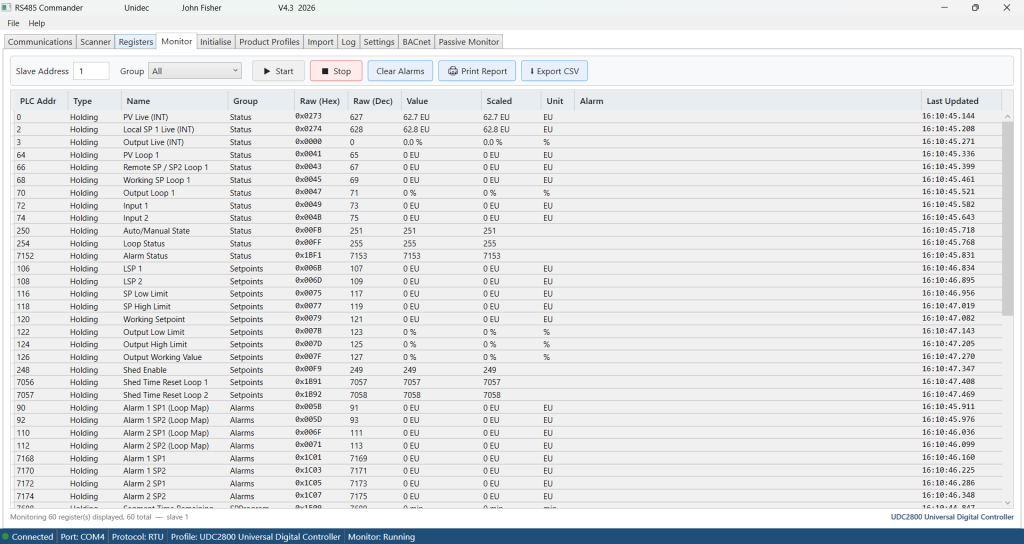
- Monitoring dashboard with alarm thresholds
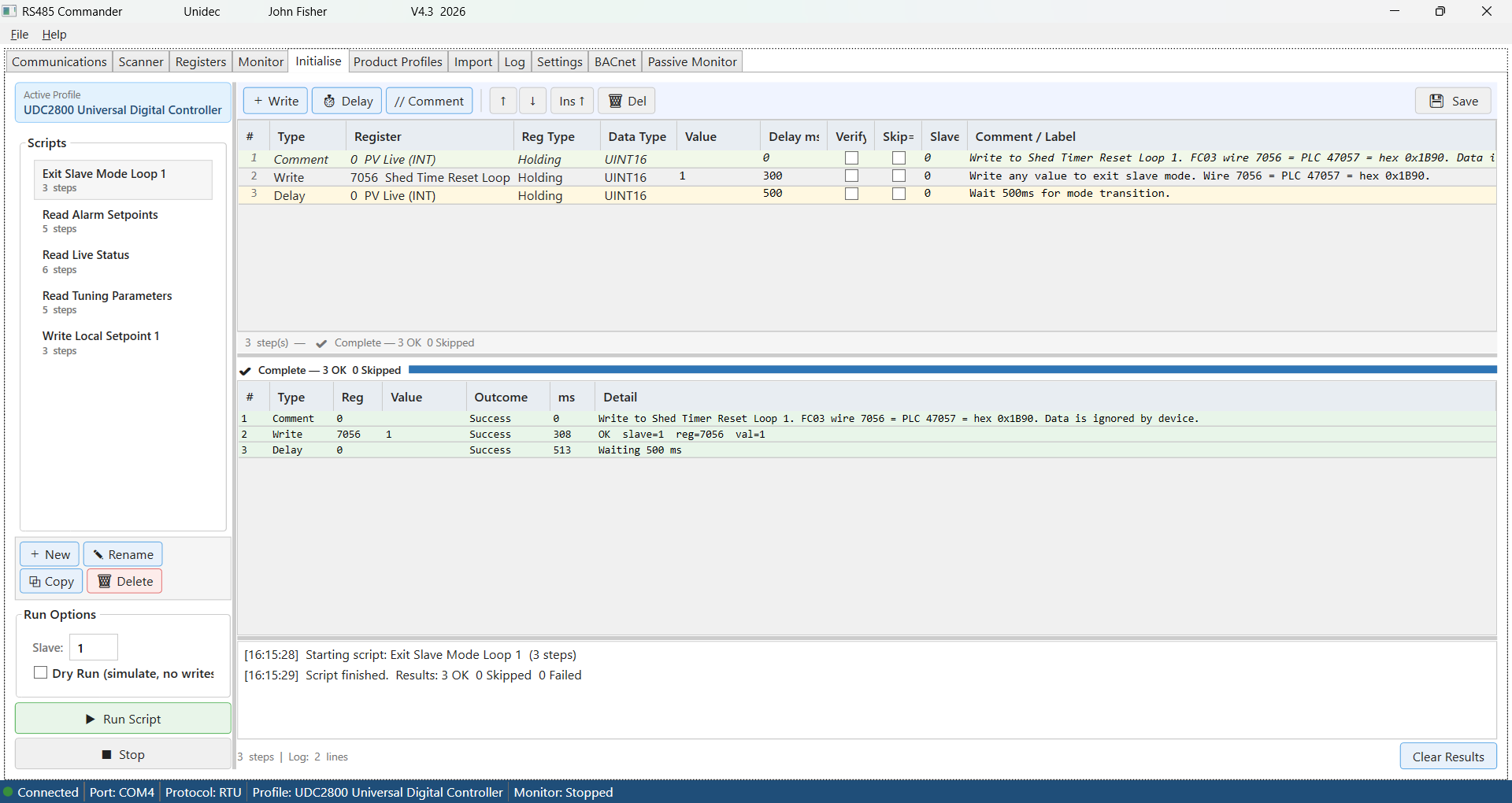
- Initialization engine for applying repeatable commissioning and test sequences to a device in one click.
- Passive monitor to monitor traffic on the Modbus, displays, graphs and reports on devices by address, register read/writes, etc.

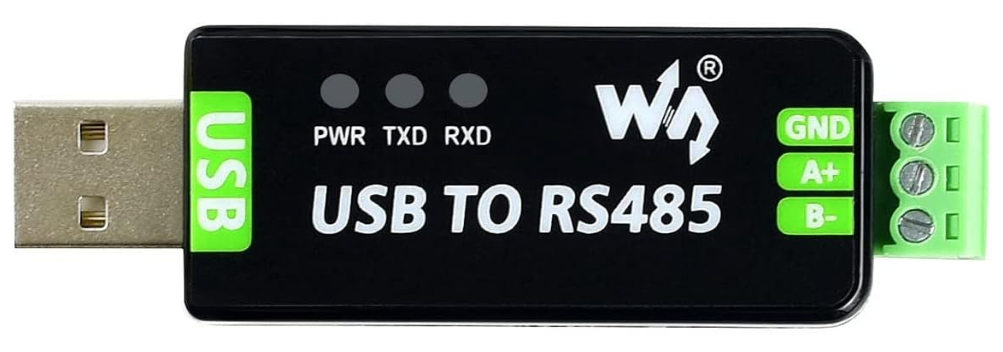
this product download includes a Waveshare RS485 USB interface that is fully tested with our software.
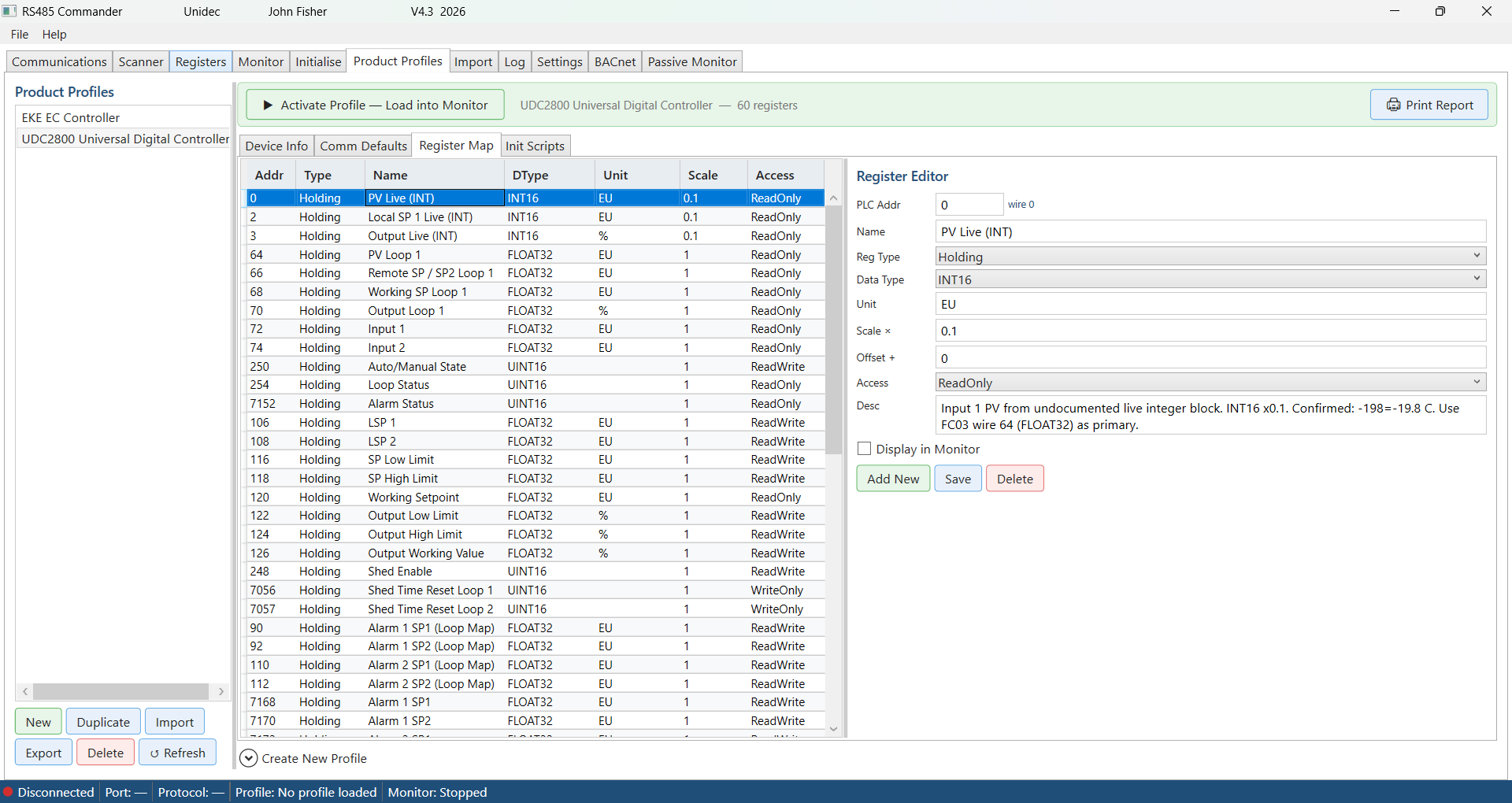
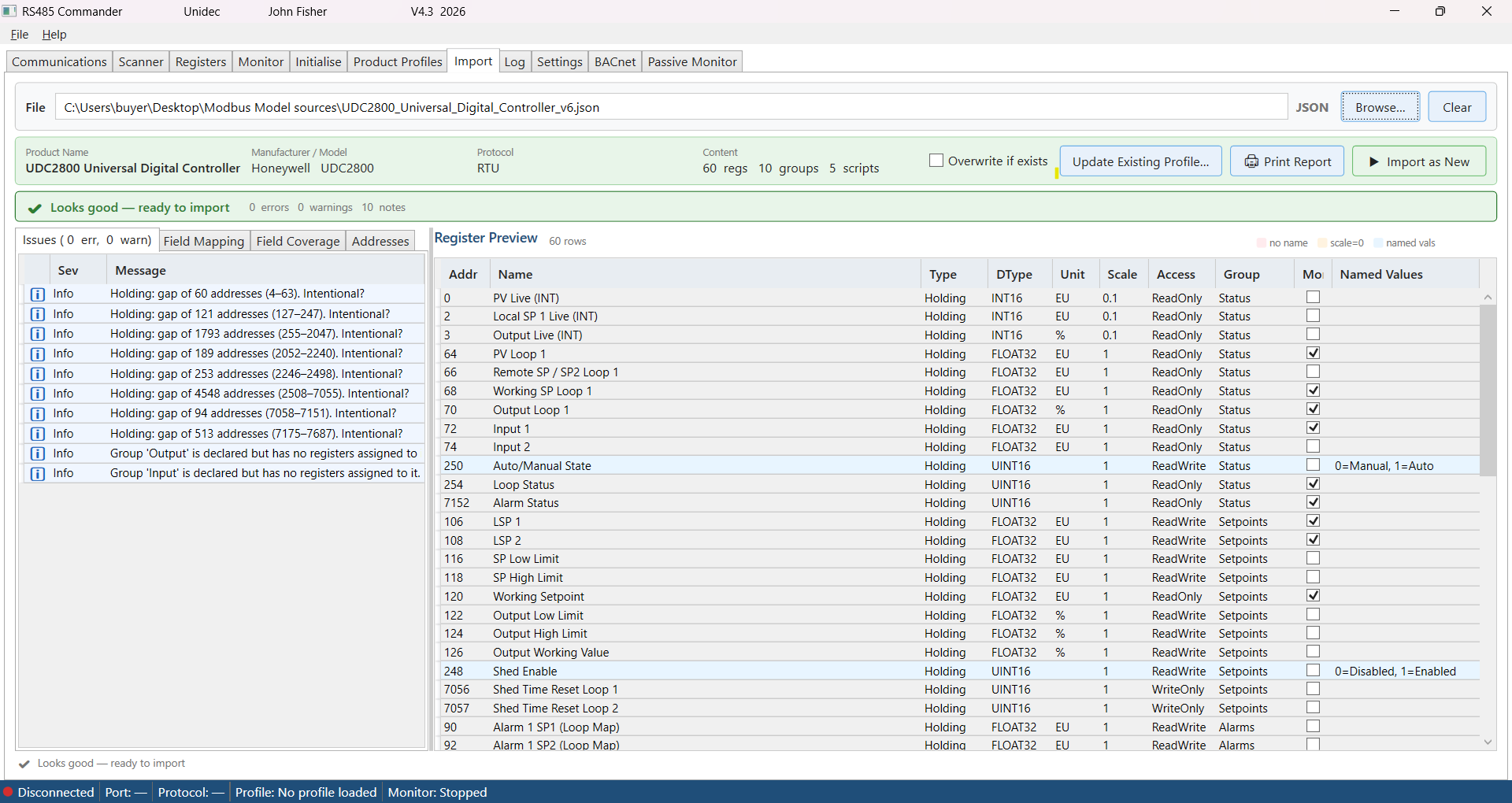
At the heart of the application is a device profile system. Each product profile is a self-contained SQLite database file that stores a device’s complete register map — including names, data types, scale factors, engineering units, named value mappings, alarm conditions, group poll rates, and commissioning scripts. Profiles can be built from scratch by importing a device definition file in CSV, JSON, XML, or Excel format, with a built-in pre-flight analysis engine that validates the data and highlights errors before anything is written to disk. Once created, profiles are portable — copy a .db file to another PC running RS485 Commander and the full device definition travels with it.
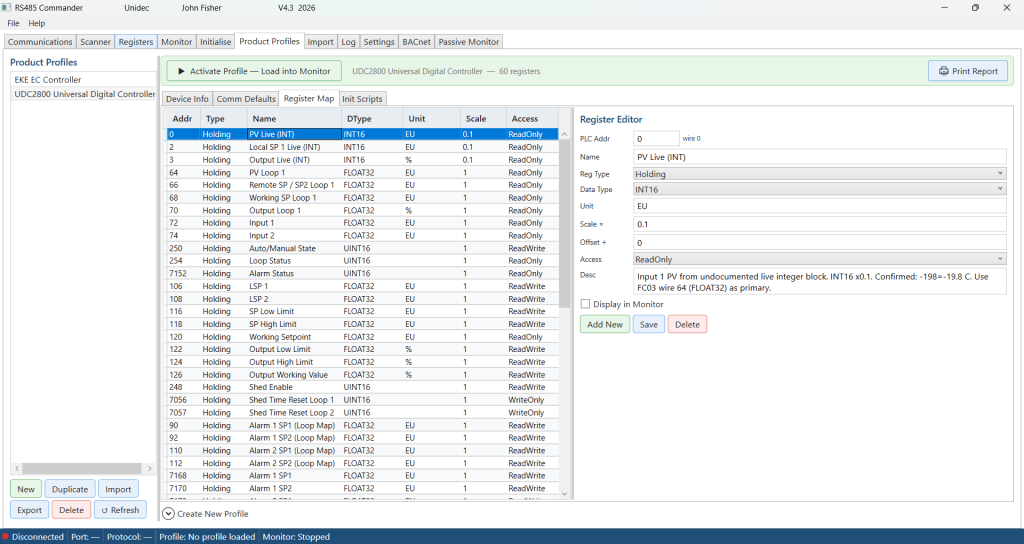
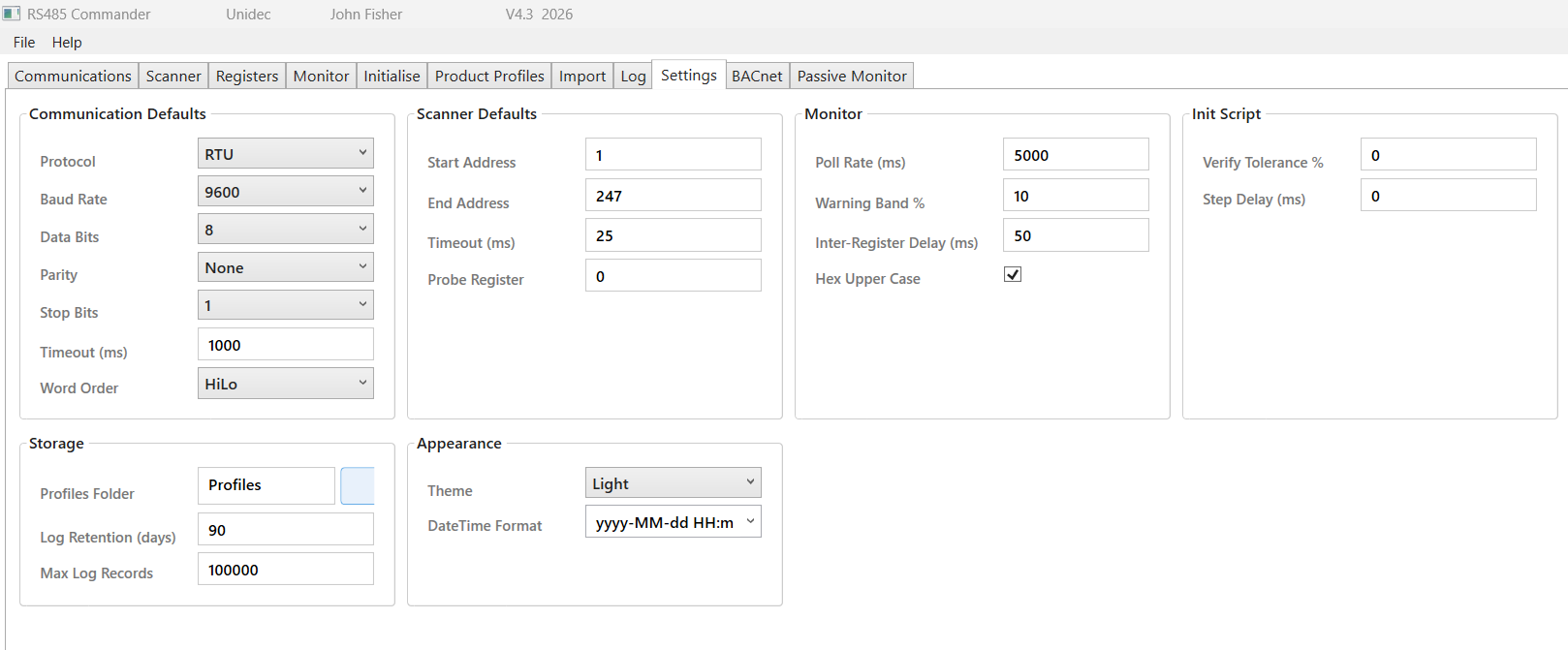
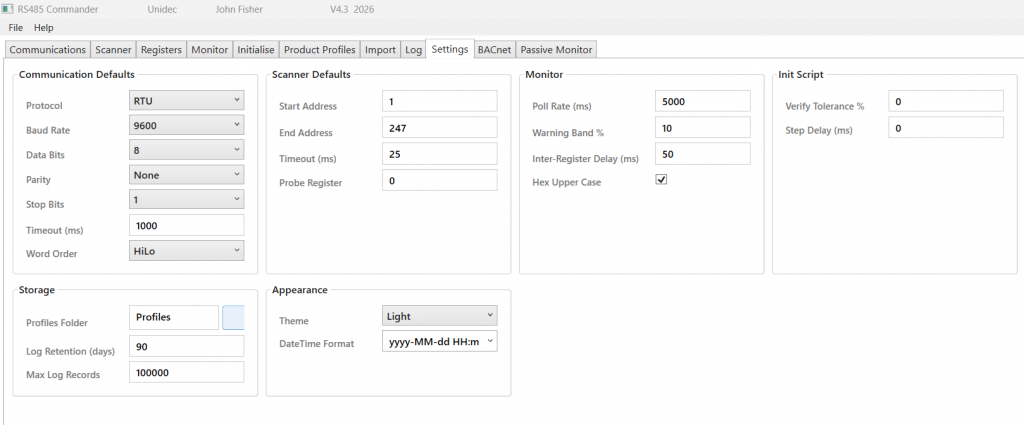
RS485 Commander is designed for the workflow of a field commissioning engineer. The scanner discovers unknown device addresses automatically. Double-clicking a scan result pushes the slave address to every other tab simultaneously and assigns the active profile to that device. The monitor tab polls all flagged registers continuously and raises visual alarms the moment a threshold is breached. Every session, scan, register transaction, and script execution is logged to a persistent database for after-the-fact review. Settings — including default COM port, baud rate, and slave address — are saved automatically on every successful connection so the tool is always ready to go on the next visit to a site.
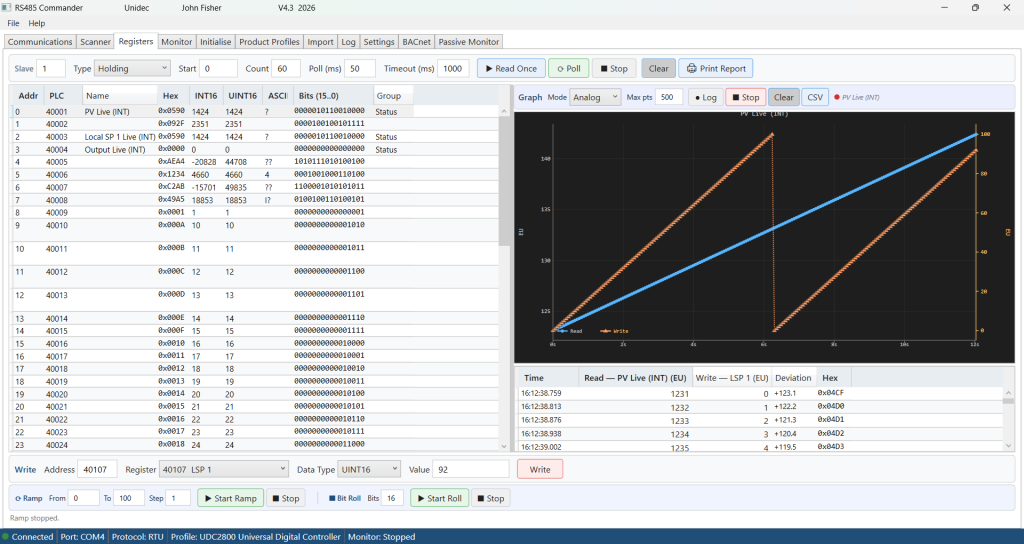
When it comes to troubleshooting a misbehaving device, RS485 Commander goes well beyond simple register reads. The Registers tab lets you read individual registers on demand or continuously poll them at a configured rate, and simultaneously write a setpoint value to a second register while the read is in progress. Both values are plotted in real time on a dual-axis graph — the read value on the primary axis and the written setpoint on the secondary — so the relationship between a command and a response is immediately visible. A deviation trace shows the difference between the two, making it straightforward to spot whether a drive is tracking its speed reference, a valve is reaching its commanded position, or a PID loop is settling correctly. The entire session is captured in a timestamped log table showing raw hex, decoded values, written setpoints, and deviation at every sample point, and can be exported to CSV or printed as a formal report.
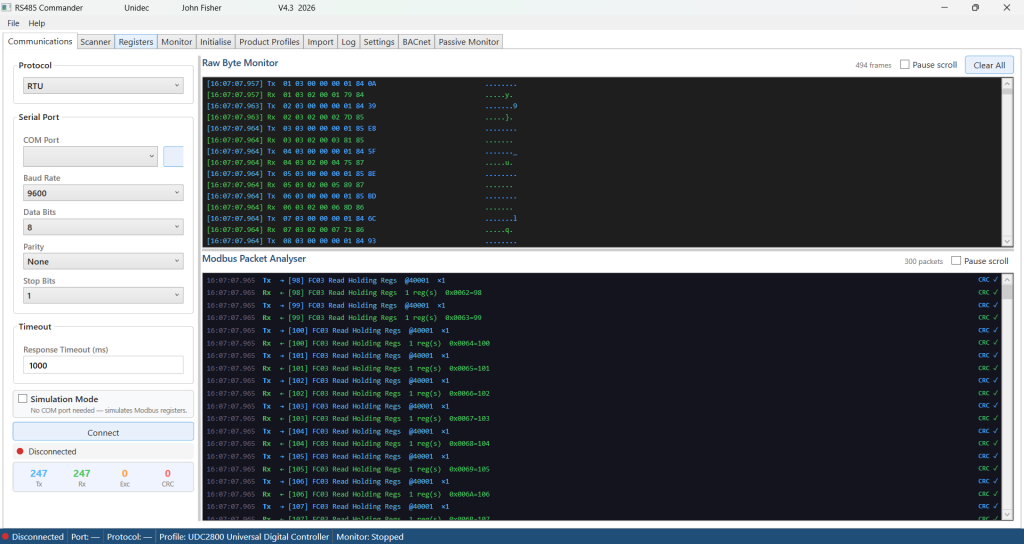
Combined with the Communications tab’s packet analyzer — which decodes every Modbus frame on the wire, validates CRC checksums in real time, and flags protocol errors — engineers have a complete picture of both the application-level behavior and the raw bus traffic simultaneously.
Monitoring Modbus registers is easy with the monitor tab. All or grouped device registers can be polled and read and then a summary and register report can be printed or printed to PDF. The data may also be exported as a comma-delimited csv file for importing into excel directly.
The Passive monitor tab monitors traffic on the connected Modbus. It displays, graphs and reports on Modbus devices by address, register read/writes, etc. Once a profile is loaded, the monitor is able to decode and display scaled values with units.

A complete pdf user manual and built-in context sensitive help system is included in this tool.
RS485Commander Software License Agreement
Copyright © 2026 Unidec. All Rights Reserved.
IMPORTANT: Please read this agreement carefully before purchasing, downloading, installing and using RS485Commander.
By downloading, installing, copying, or using RS485Commander (“Software”), you agree to be bound by the terms of this License Agreement.
- SINGLE-USER LICENSE
Your purchase grants one (1) individual user the right to install and use the Software on a single computer or workstation.
The license is personal and non-transferable unless expressly authorized in writing by Unidec.
- NO SHARING OR REDISTRIBUTION
The Software installer, executable files, documentation, updates, and related materials may not be:
• Shared with other individuals or organizations
• Posted on websites, cloud storage services, file-sharing platforms, or public repositories
• Redistributed in any form
• Resold, sublicensed, leased, rented, or transferred to third parties
Each user requiring access to the Software must obtain their own licensed copy directly from Unidec.
- HONOR SYSTEM LICENSING
RS485Commander currently operates on an honor-system licensing model and does not employ activation keys or copy-protection mechanisms.
The absence of technical restrictions does not grant permission to copy, share, redistribute, or use the Software beyond the scope of this agreement.
Your continued compliance with this license is appreciated and helps support future development, maintenance, updates, and technical support.
- OWNERSHIP
The Software is licensed, not sold.
All rights, title, ownership, copyrights, trademarks, trade secrets, source code, designs, and intellectual property rights remain the exclusive property of Unidec.
- DISCLAIMER OF WARRANTY
The Software is provided “AS IS” without warranty of any kind, either express or implied, including but not limited to warranties of merchantability, fitness for a particular purpose, non-infringement, accuracy, or reliability.
The entire risk arising out of the use or performance of the Software remains with the user.
- LIMITATION OF LIABILITY
In no event shall Unidec be liable for any indirect, incidental, special, consequential, exemplary, or punitive damages, including loss of profits, loss of business, loss of data, equipment damage, downtime, or other commercial losses arising from the use or inability to use the Software.
The maximum liability of Unidec under this agreement shall not exceed the amount paid for the Software license.
- TERMINATION
This license automatically terminates if you fail to comply with any term of this agreement.
Upon termination, you must cease all use of the Software and destroy all copies in your possession.
- ACCEPTANCE
By purchasing, installing or using RS485Commander, you acknowledge that you have read, understood, and agree to be bound by the terms of this License Agreement.
Thank you for supporting independent software development.
SYSTEM REQUIREMENTS AND COMPATIBILITY
RS485Commander is designed for use on modern Microsoft Windows operating systems.
Supported Operating Systems
• Windows 10 (32-bit and 64-bit)
• Windows 11 (64-bit)
Installation Type
• Local installation on a physical workstation
• Administrator privileges may be required during installation
• Internet connection is not required for normal operation after installation
Hardware Requirements
Minimum:
• 1 GHz processor or faster
• 4 GB RAM
• 200 MB available disk space
• USB port or serial communications interface (as required by connected equipment)
Recommended:
• Dual-core processor or better
• 8 GB RAM or greater
• 500 MB available disk space
• USB-to-RS485 adapter or native serial communications interface
Communications Support
• RS-485 Serial Communications
• Modbus RTU Devices
• Standard Windows COM Ports
• USB-to-Serial Adapters that create a Windows COM Port
Software Requirements
• Microsoft .NET Runtime (included with installer when applicable)
• User account with permission to access serial communications ports
Compatibility Notes
• RS485Commander has been tested on Windows 10 and Windows 11 systems.
• 32-bit and 64-bit editions of Windows 10 are supported.
• Windows 11 is supported on 64-bit systems.
• Operation within virtual machines may be possible but is not officially supported.
• Compatibility with third-party USB-to-RS485 converters depends on the availability of a properly installed Windows COM port driver.
Support for older operating systems, including Windows 7, Windows 8, and Windows 8.1, is not guaranteed (it worked here but..) and is not officially supported unless specifically stated by Unidec.
Recommended USB to RS-485 Interface
RS485Commander has been tested and validated using the Waveshare Industrial USB to RS-485 Converter featuring the genuine FTDI FT232RL chipset.
Key Features
- Genuine FTDI FT232RL USB-to-Serial chipset
- Industrial-grade RS-485 interface
- Automatic transmit/receive direction control (no RTS configuration required)
- Screw-terminal connection for A(+), B(-), and GND
- Plug-and-play virtual COM port operation
- Excellent compatibility with Modbus RTU devices and industrial controllers
- Supports long-distance RS-485 communications up to 1200 meters (4000 ft) under proper installation conditions
- Built-in industrial protection circuitry for improved reliability
- USB powered – no external power supply required
Operating System Compatibility
- Windows 11 (32-bit and 64-bit)
- Windows 10 (32-bit and 64-bit)
- Windows 8 / 8.1
- Windows 7
- Windows Server operating systems
- Linux
- macOS
Most modern Windows systems automatically install the required FTDI drivers. FTDI-based adapters are widely regarded as the most reliable USB-to-serial interfaces for industrial communications applications.
RS485Commander Compatibility
RS485Commander communicates through standard Windows COM ports and is compatible with most USB-to-RS485 converters. However, FTDI-based adapters are strongly recommended for maximum reliability, stable communications, and reduced driver-related issues.
The Waveshare Industrial USB-to-RS485 converter has been successfully tested with:
- Modbus RTU devices
- PLCs
- Temperature controllers
- Variable Frequency Drives (VFDs)
- Industrial sensors and transmitters
- Energy meters
- Building automation equipment
Wiring
| RS-485 Device | Converter |
|---|---|
| A / D+ | A+ |
| B / D- | B- |
| Signal Ground (optional) | GND |
Note: Some manufacturers reverse A and B labeling. If communications cannot be established, try swapping the A and B conductors.